



Create perfect code context for AI interactions! Snapshots for AI is a powerful VS Code extension that helps you generate well-formatted markdown snapshots of your code, making it easier to share context with AI assistants like ChatGPT, Claude, and others.
Key Features
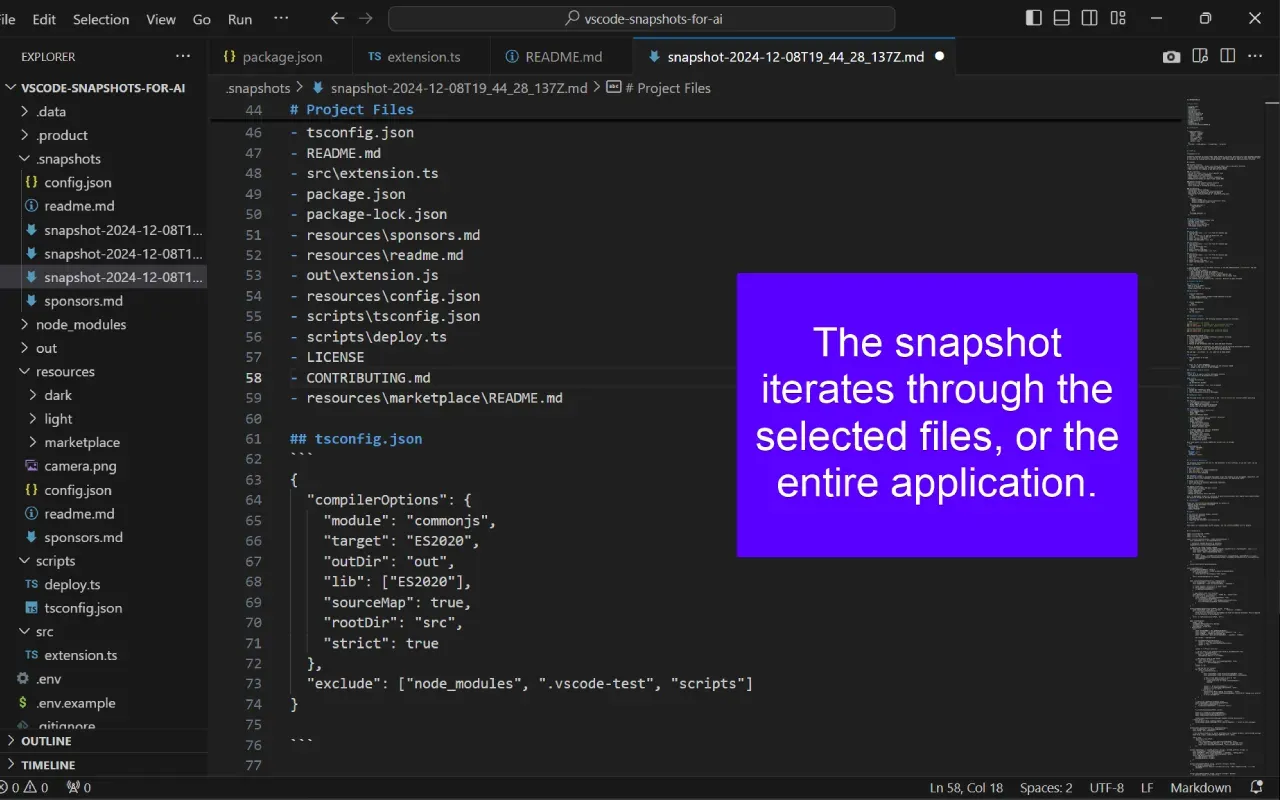
One-Click Snapshots
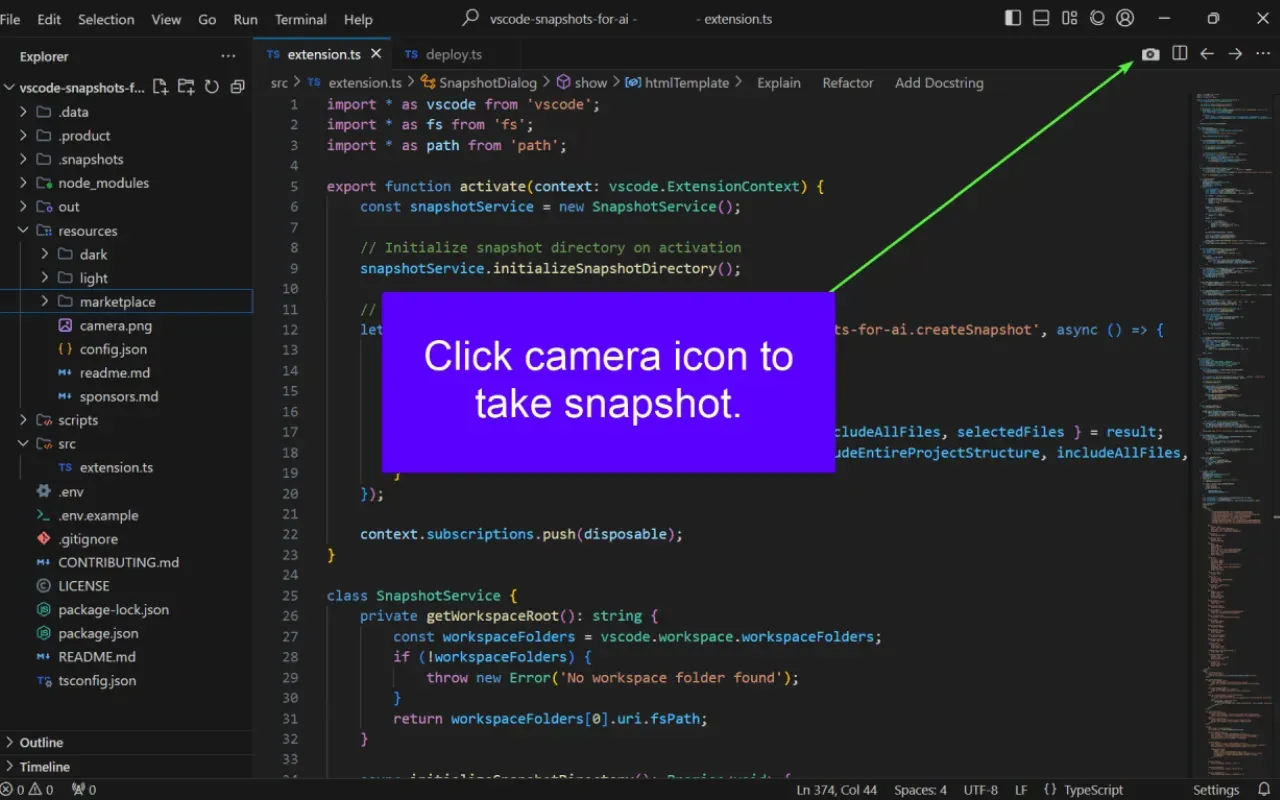
- Create snapshots instantly using the camera icon in your editor, with automatic code formatting and syntax highlighting
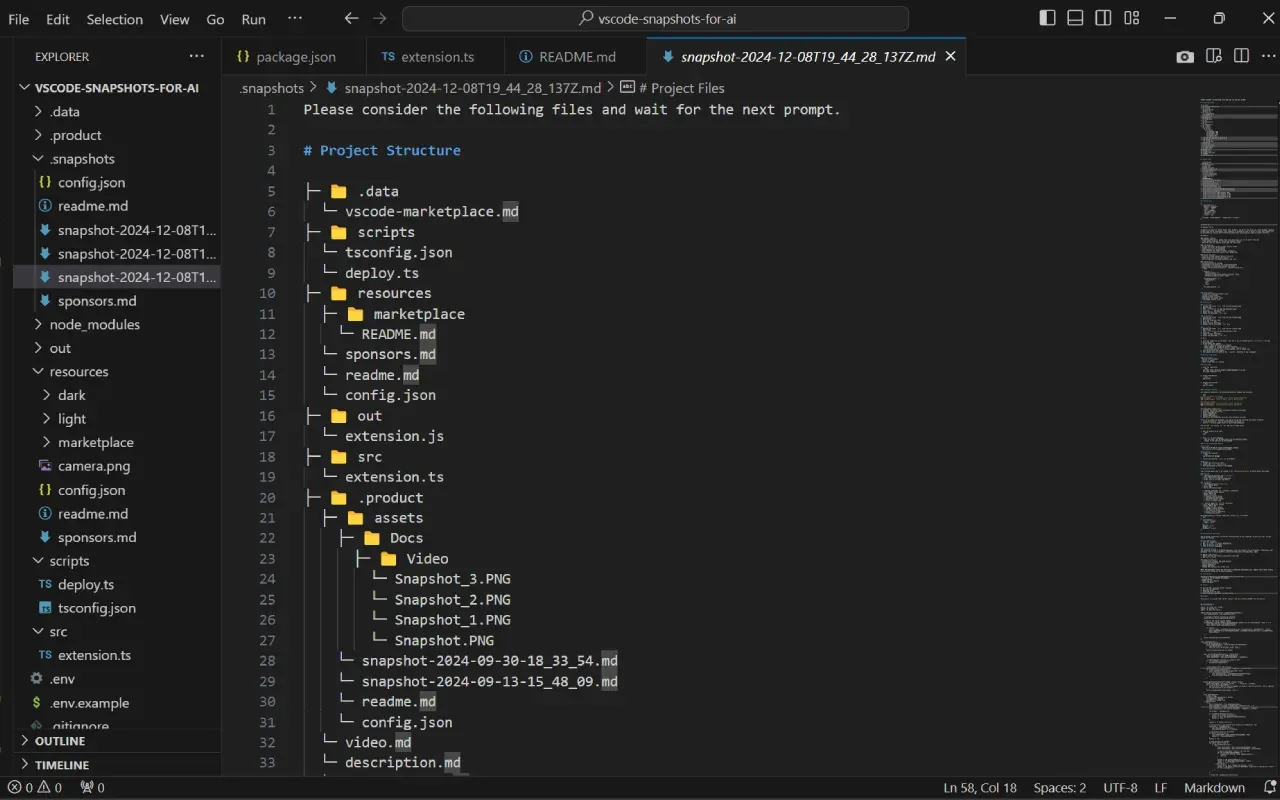
- Includes file structure and relevant context
Smart Selection
- Choose specific files or include entire project structure with intelligent filtering and real-time updates
- Quick select/deselect all functionality
Perfect Formatting
- Generate clean, well-structured markdown with proper syntax highlighting and hierarchical project visualization
- Optimized for AI consumption
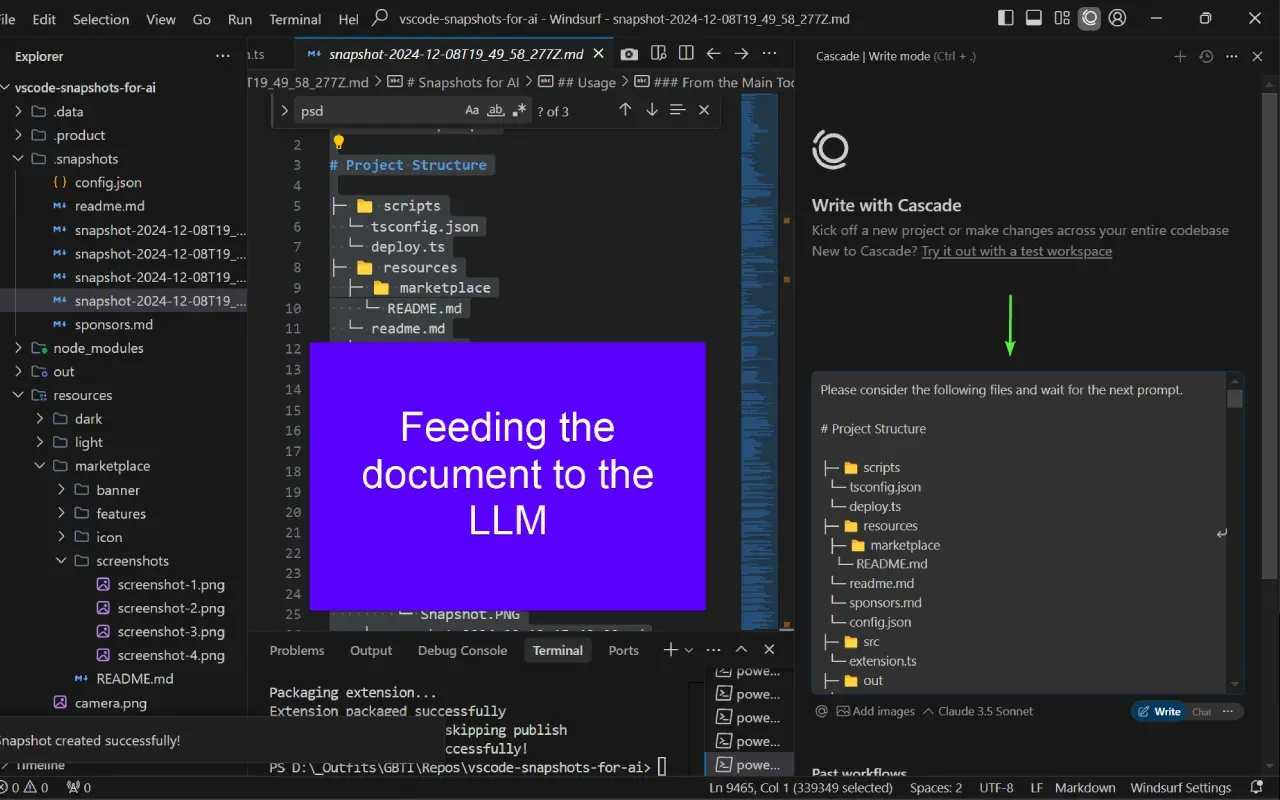
AI-Ready Output
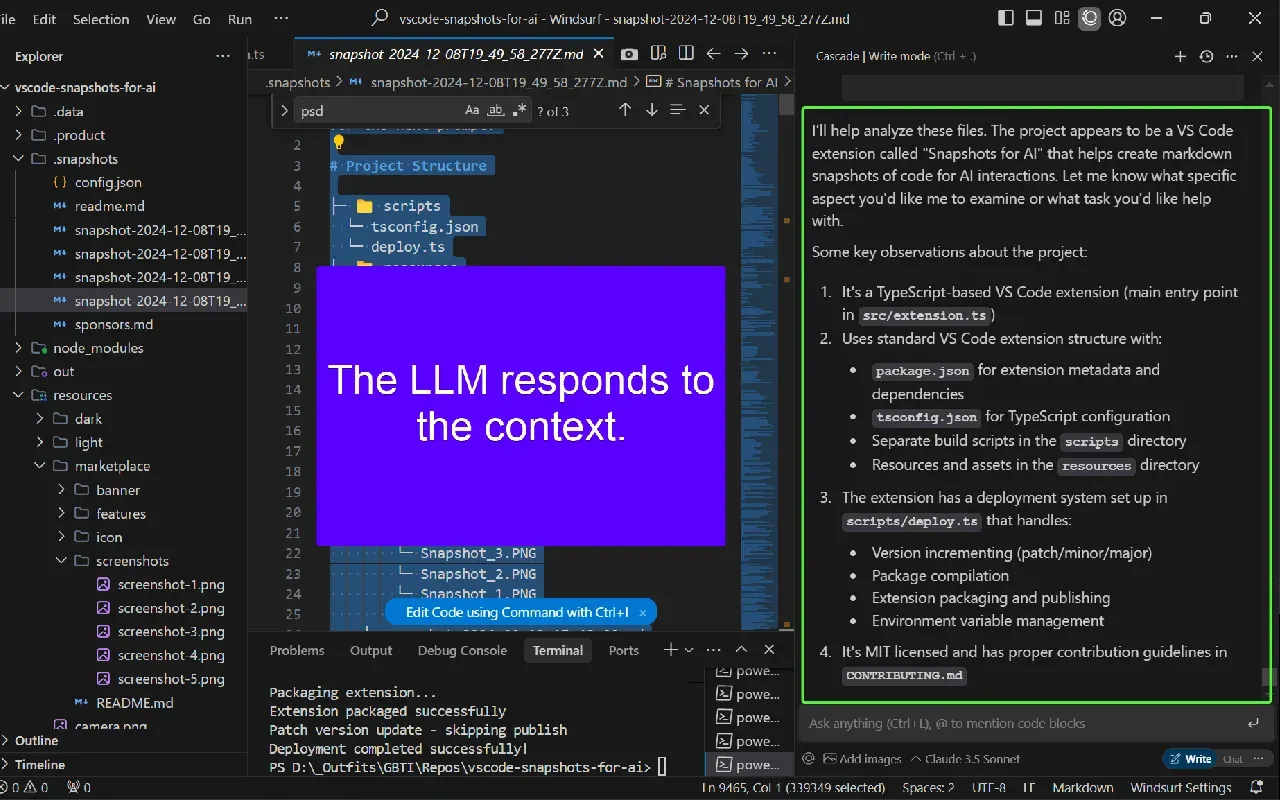
- Create context-rich snapshots optimized for AI consumption, perfect for RAG (Retrieval Augmented Generation)
- Works with all major AI assistants
- Maintains code structure and relationships
Getting Started
- Install the extension
- Open any file in your project
- Click the camera icon in the editor title bar
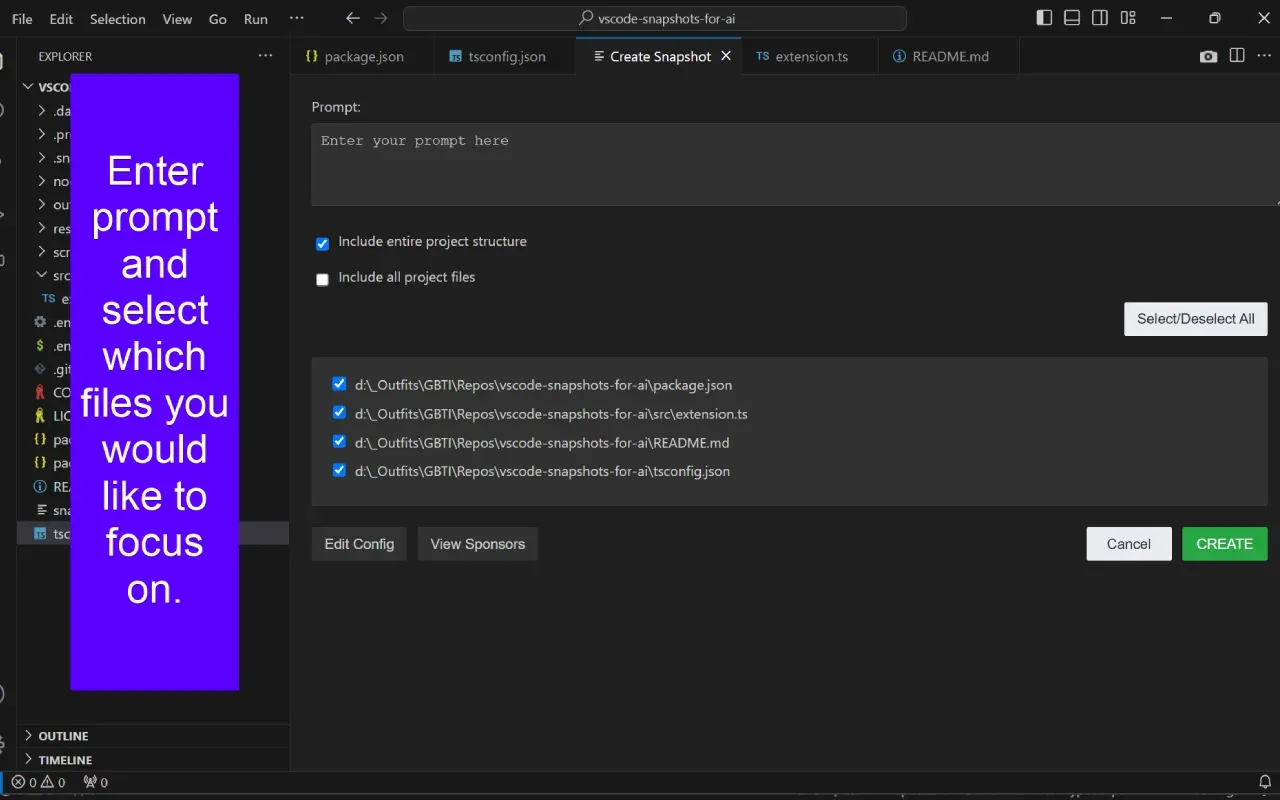
- Select files to include in your snapshot
- Add an optional prompt or description
- Your snapshot is ready to share with AI!
From the author
atwellpubWe built Snapshots for AI because we kept hitting the same friction point: sharing code context with AI assistants meant manual copying, pasting, and formatting. This extension does that work for you. One click in VS Code creates a clean, AI-ready markdown snapshot of your codebase. It is for anyone working with AI tools daily, whether you are debugging with Claude, brainstorming architecture with ChatGPT, or using AI for code review. We designed it to be fast and simple: select your files, hit the camera icon, and your context is ready to paste into any AI chat.
0 Comments
No comments yet. Be the first. Members comment from the GBTI local client, where comments are submitted as pull requests and auto-published for paid members.
Become a memberMembers write comments from the GBTI client or browser extension. Become a member to join the conversation.
You are signed in as a member. .